Recycler
What is Recycler?
Recycler is a full recycle bin for RISC OS. Normally, whenever a file is deleted it cannot be recovered and your work is lost. With the Recycler application installed you can recover and manage these files, a little like having an 'undo' option for your hard drive. To use Recycler you will need a hard drive and RISC OS 3.1 or later
How does it work ?
Recycler stores all files as they are deleted in what is called a �Bin‘ directory. Files can then be recovered from this 'Bin' before they are actually deleted.
Recycler must be running in order to grab files as they are being deleted; it cannot recover previously deleted files. The 'Bin' is normally located inside the Recycler application, however you can move it to another location if you need to.
You should note that Recycler needs enough disc space to store the file you are deleting, since it is in effect copied to the 'Bin' before it is removed from the disc.
- Can hold thousands of files.
- Intercepts filer deletes and keeps copies of all deleted files.
- Always copies files to the recycle bin before they are deleted.
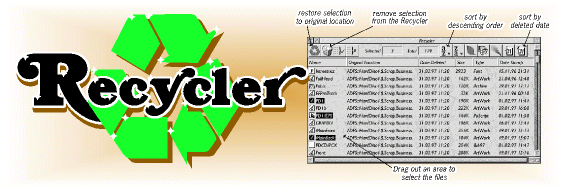
- Just takes a couple of clicks to restore a file, or a set of files or the whole recycle bin.
- Keeps copies of files based upon date and size, so you can easily search the recycle bin.
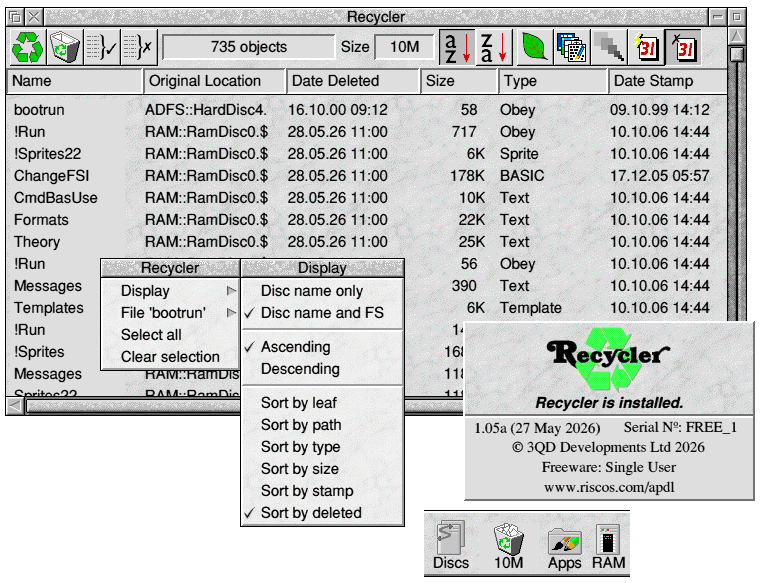
- Shows filenames, original file locations, date deleted, filetypes and more.
- Lets you reorder the recycle bin by name (both A to Z and Z to A), leafname, filetype etc.
- Can compress the recycle bin to save disc space.
- Can store multiple versions of the same file (for example if old versions of a file have been deleted you can restore *any* version from *any* date not just the latest version).
Very Important
Recycler will only work on full filecore filing systems. For example if it's run on VirtualRPC it won't be able to trap any deletions made from a HostFS drive, but it will work on the ADFS harddisc image or a RAM disc.